
A fast internet plan can make IPTV streaming easier, but raw download speed is only part of the story. For smooth live TV, movies, sports and other streaming content, you also need a stable connection, enough available bandwidth for every device in your home, and a reliable connection between your router and streaming device.
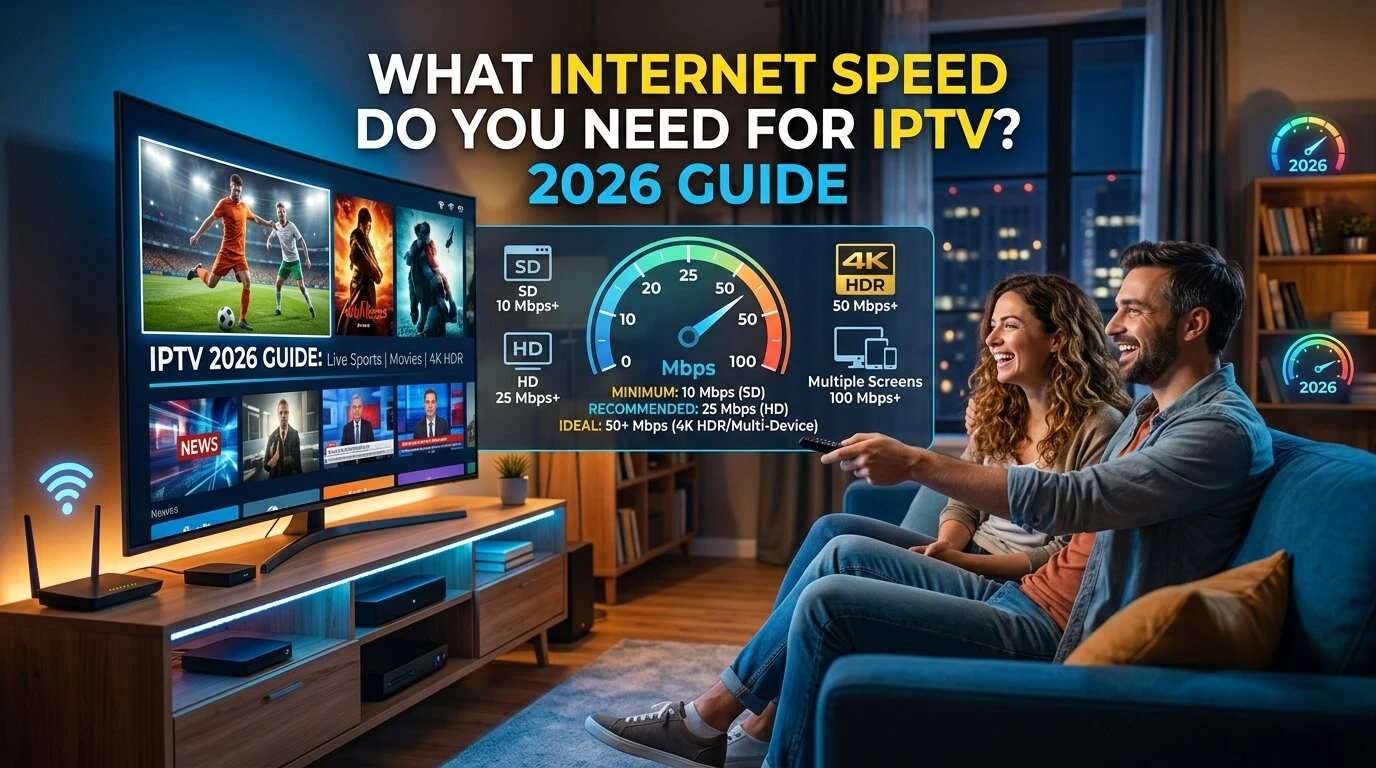
As a practical starting point, aim for around 10–15 Mbps for HD IPTV, 15–25 Mbps for Full HD, and approximately 35–50 Mbps for 4K per active stream. These figures include extra headroom rather than representing the absolute minimum required to decode a video stream.
Major streaming platforms publish lower technical baselines. Netflix currently recommends at least 3 Mbps for 720p HD, 5 Mbps for 1080p Full HD and 15 Mbps for 4K Ultra HD. YouTube TV recommends at least 7 Mbps for one HD stream, around 13 Mbps for reliable HD when other devices are using the network, and at least 25 Mbps for available 4K programming.
The difference between a technical minimum and a comfortable connection matters. Your television is rarely the only device using the internet, and Wi-Fi conditions, network congestion, bitrate, packet loss and other factors can all affect streaming quality.
IPTV Internet Speed Requirements at a Glance
There is no single universal IPTV speed requirement because video bitrate varies between channels, resolutions, codecs and providers. However, the following targets give most households useful breathing room.
| Video Quality | Published Streaming Baselines | Practical Target per Stream |
|---|---|---|
| SD 480p | Around 3 Mbps | 5–10 Mbps |
| HD 720p | Around 3–7 Mbps | 10–15 Mbps |
| Full HD 1080p | Around 5 Mbps+ | 15–25 Mbps |
| 4K UHD | Around 15–25 Mbps+ | 35–50 Mbps |
Note: The practical targets above include extra bandwidth for
network fluctuations and other devices using your internet connection.
If multiple devices stream IPTV at the same time, allow enough bandwidth
for each active stream.
The practical target column is intentionally higher than the minimum figures published by major streaming platforms. It allows additional bandwidth for normal household activity and short-term changes in network performance.
If you plan to stream on two or more televisions at the same time, calculate the bandwidth for each simultaneous stream, not simply the fastest resolution used in the house.
How Much Internet Speed Does IPTV Actually Need?
When people ask how many Mbps they need for IPTV, they are usually talking about download speed.
Internet connections are commonly measured in megabits per second (Mbps). If your internet plan advertises 100 Mbps, that represents the maximum or expected download capacity of the connection under certain conditions. It does not mean that your IPTV device will continuously receive all 100 Mbps.
Your available bandwidth is shared with other connected devices, including:
- Smart TVs and streaming boxes
- Smartphones and tablets
- Computers
- Gaming consoles
- Security cameras
- Cloud backups
- Smart-home devices
- Other people streaming Netflix, YouTube or similar services
A 100 Mbps household connection may therefore have considerably less bandwidth available to one television at any particular moment.
For IPTV, consistency is often more important than an impressive peak speed-test result.
A connection that remains close to 40 Mbps can provide a better streaming experience than one that repeatedly fluctuates between 200 Mbps and 5 Mbps.
Internet Speed Needed for HD IPTV
HD streaming generally requires much less bandwidth than 4K video.
SD and 720p HD
Standard-definition streams can often function at only a few megabits per second. YouTube TV, for example, lists approximately 3 Mbps as sufficient for standard-definition video and at least 7 Mbps for a single HD stream.
For everyday IPTV viewing, however, leaving extra capacity is sensible.
A practical target of 10–15 Mbps of available bandwidth for one HD stream gives your network more room to handle temporary fluctuations and activity from other devices.
Full HD 1080p
Full HD contains considerably more visual information than standard-definition video.
Netflix lists 5 Mbps or higher as its recommendation for 1080p Full HD streaming.
For IPTV, a more comfortable real-world target is approximately 15–25 Mbps per Full HD stream, particularly if the same internet connection is also serving phones, laptops and other connected devices.
The actual amount of bandwidth consumed by the stream itself can be lower. The additional capacity is there to prevent your connection from operating continuously at its limit.
What Internet Speed Do You Need for 4K IPTV?
For one 4K IPTV stream, 25 Mbps should be considered a reasonable starting point rather than an ideal household limit.
Netflix recommends at least 15 Mbps for its 4K content, while YouTube TV specifies at least 25 Mbps for available programming viewed through its 4K Plus service.
Because IPTV bitrates vary, a connection offering around 35–50 Mbps of available bandwidth for each 4K stream gives considerably more headroom.
Internet speed is also not the only requirement for 4K playback. The complete setup has to support the resolution.
That can include:
- A 4K television or display
- A compatible streaming device
- A player capable of decoding the video format
- Suitable HDMI hardware when an external streaming device is used
- A source that is actually available in 4K
- Sufficient network bandwidth
A fast connection cannot turn an HD source into true 4K video.
Check compatible streaming devices and IPTV apps.
How Much Internet Speed Do You Need for Multiple IPTV Devices?
This is where bandwidth calculations become more important.
If two televisions are streaming simultaneously, the connection needs enough capacity for both streams. If three family members are watching independently, all three streams contribute to the household’s bandwidth usage.
A simple planning rule is:
Number of simultaneous streams × target bandwidth per stream + extra capacity for normal internet use
This is a planning guideline rather than an official technical standard.
For example, imagine a home with three Full HD streams:
3 streams × 20 Mbps = 60 Mbps
Adding some additional capacity for phones, computers and normal fluctuations means an internet plan around 75–100 Mbps would give the household considerably more breathing room than a connection capped close to 60 Mbps.
Here are some useful examples:
| Simultaneous Streaming | Comfortable Bandwidth Target |
|---|---|
| 1 HD stream | 10–15 Mbps |
| 2 HD streams | 20–30 Mbps |
| 3 HD streams | 30–45+ Mbps |
| 1 Full HD stream | 15–25 Mbps |
| 2 Full HD streams | 30–50+ Mbps |
| 1 4K stream | 35–50 Mbps |
| 2 4K streams | 70–100+ Mbps |
These are household planning targets, not fixed IPTV requirements.
CatchON TV currently offers packages with between one and five device connections, making this especially relevant for households where several people may watch simultaneously.
Check CatchON TV packages for 1–5 devices.
Why Does IPTV Buffer Even With Fast Internet?
Seeing 200 Mbps on a speed test does not guarantee that IPTV will never buffer.
Buffering occurs when the player temporarily runs out of video data that is ready for playback. A number of problems can cause this even when the internet plan itself appears fast.
1. Weak Wi-Fi signal
Your internet connection may reach the router at full speed while your television receives only a fraction of it.
Walls, floors, distance, neighboring Wi-Fi networks and other radio interference can reduce wireless performance.
This is why a speed test should ideally be performed near the television or streaming device, rather than only on a computer sitting beside the router.
2. Other devices are using the bandwidth
Large software updates, cloud backups, gaming downloads and other video streams can temporarily consume a significant portion of your available connection.
A household may technically have a 100 Mbps connection but have much less available to the IPTV player during busy periods.
3. Network congestion
Congestion can occur inside your home network or farther upstream with your Internet Service Provider (ISP).
If performance is consistently worse at certain times of day, congestion may be one of several possible explanations.
4. Packet loss, latency and jitter
Download speed gets most of the attention, but it is not the only network measurement that matters.
Latency measures how long data takes to travel through the network.
Jitter describes variation in that delay.
Packet loss occurs when network packets fail to arrive correctly.
Live streaming can be sensitive to unstable network conditions because the player has less opportunity to build a very large buffer compared with some on-demand services.
5. The streaming device is struggling
An older Fire TV device, Android box, Smart TV or other low-powered streaming device can sometimes become the bottleneck.
Limited memory, background applications, outdated software or hardware decoding limitations can affect playback even when the network connection is adequate.
6. The IPTV player needs attention
Players such as TiviMate, IPTV Smarters and Smart IPTV handle playback differently.
If a problem appears across many channels, testing another compatible IPTV player can help determine whether the application is involved.
7. A problem affects only one stream
If twenty channels play normally but one channel has a problem, your overall internet speed becomes a less likely explanation.
Testing multiple channels helps separate a household connection problem from an issue affecting one specific stream.
Why Buffering Matters More Than You Might Think
Research on online video has repeatedly shown that interruptions have a measurable effect on viewer behavior.
A large study by researchers from Akamai Technologies and the University of Massachusetts Amherst analyzed 23 million video views from 6.7 million unique viewers. It found a causal relationship between stream quality and viewer behavior.
Among its findings, viewers began abandoning videos when startup delay exceeded two seconds, and each additional second of startup delay was associated with a 5.8% increase in abandonment rate. The researchers also found that viewers experiencing rebuffering equal to 1% of a video’s duration watched about 5% less of the video than otherwise similar viewers without that rebuffering.
The research studied online video broadly rather than IPTV specifically, but it illustrates an important principle: stable playback matters, not simply headline download speed.
That is why improving the quality of the connection between your router and television can sometimes make a bigger difference than upgrading an already-fast broadband package.
Wi-Fi vs Ethernet for IPTV: Which Is Better?
For a fixed television or streaming box, Ethernet is generally the most predictable connection.
An Ethernet cable provides a direct connection between the device and router and avoids many sources of wireless interference.
Wi-Fi can still work extremely well when the signal is strong.
Modern 5 GHz Wi-Fi and Wi-Fi 6 networks can provide far more bandwidth than a typical IPTV stream requires, but actual performance depends heavily on distance, interference and the router.
| Connection | Ethernet | Wi-Fi |
|---|---|---|
| Stability | Usually excellent | Depends on signal |
| Interference | Very low | Possible |
| Installation | Requires cable | Easy |
| Fixed television | Excellent choice | Good with strong signal |
| Mobile devices | Impractical | Ideal |
If Ethernet is available for your main television, it is worth testing.
For devices that must use Wi-Fi, placing the router appropriately and using a strong 5 GHz signal can help.
Does the Video Codec Affect IPTV Bandwidth?
Yes.
The video codec determines how video is compressed for transmission.
Two common formats are H.264/AVC and H.265/HEVC. HEVC was designed to provide more efficient compression, meaning a provider can potentially deliver comparable visual quality using less data than an older codec under suitable encoding conditions.
This is one reason there cannot be one universal answer to questions such as “How much bandwidth does 1080p IPTV use?”
Two streams can have the same resolution but very different bitrates.
Other factors include:
- Frames per second
- Encoding quality
- Audio bitrate
- HDR
- Source complexity
- Compression settings
- Constant versus variable bitrate
Resolution and bitrate are related, but they are not the same thing.
A 1080p label tells you the number of pixels in the image. It does not tell you exactly how much internet bandwidth that stream consumes.
How to Test Your Internet Speed for IPTV
The best IPTV speed test is one performed under conditions similar to the way you actually watch television.
Instead of running a single test beside your router, try the following:
- Test the connection near the television or streaming device.
- Run the test at approximately the same time you normally watch.
- Repeat it several times rather than relying on one result.
- Test when other household devices are active.
- Compare Wi-Fi performance with Ethernet if possible.
- Look for large fluctuations between tests, not only the highest number.
Netflix itself recommends Fast.com as one way to check internet speed.
If a phone beside your TV gets 18 Mbps while a computer beside the router gets 300 Mbps, purchasing an even faster internet package may not solve the problem. Improving the local Wi-Fi connection would be the more logical place to investigate first.
How to Improve IPTV Streaming Without Buying Faster Internet
Before upgrading your broadband plan, several changes may improve streaming performance.
Use Ethernet for fixed devices. A wired connection removes Wi-Fi signal quality from the equation.
Use 5 GHz Wi-Fi when appropriate. It can offer better performance than 2.4 GHz at shorter ranges, although 2.4 GHz generally travels farther.
Move the router. Avoid hiding it inside cabinets or behind large objects.
Pause large downloads. Operating-system updates, game downloads and cloud backups can consume substantial bandwidth.
Restart the router and streaming device. This simple step can resolve temporary network or application problems.
Close unnecessary apps. This is particularly useful on streaming devices with limited memory.
Try another IPTV player. If the network appears healthy but playback remains inconsistent, testing another compatible application can help isolate the cause.
Test more than one stream. If only one channel behaves differently while everything else works normally, the issue may not be your home internet connection.
What Internet Speed Do You Need for CatchON TV?
CatchON TV provides streaming options from HD through up to 4K where available, and subscriptions can include between one and five simultaneous device connections.
That means the internet speed you need depends primarily on three factors:
1. The quality being streamed
HD requires less bandwidth than Full HD or 4K.
2. The number of devices watching at the same time
One television streaming 1080p places much less demand on the network than four televisions streaming simultaneously.
3. The quality of your home network
Even a high-speed broadband connection can perform poorly on a television with weak Wi-Fi.
As a practical guideline, a household planning to use CatchON TV can aim for approximately 10–15 Mbps per HD stream, 15–25 Mbps per Full HD stream and 35–50 Mbps per 4K stream, while leaving additional capacity for normal internet activity.
These figures are conservative planning recommendations rather than guaranteed technical minimums.
Frequently Asked Questions About IPTV Internet Speed
Is 10 Mbps enough for IPTV?
A stable 10 Mbps connection can be enough for one HD stream depending on its bitrate, but it leaves relatively little capacity for other internet activity. If several devices share the connection, more bandwidth is advisable.
Is 20 Mbps enough for IPTV?
For a single HD or Full HD stream, 20 Mbps will often provide enough capacity when the connection is stable. Performance can still be affected by Wi-Fi quality, other household traffic and the bitrate of the stream.
Is 50 Mbps enough for IPTV?
A stable 50 Mbps connection is generally comfortable for one high-resolution stream or multiple lower-resolution streams. A single 4K stream should also be possible in many cases, provided the device and network perform reliably.
Is 100 Mbps good for IPTV?
For many households, 100 Mbps provides substantial capacity for IPTV while leaving bandwidth for other devices. However, a 100 Mbps internet package does not guarantee 100 Mbps over Wi-Fi at every television in the home.
What internet speed do I need for 4K IPTV?
Major streaming services publish 4K recommendations ranging from approximately 15 Mbps to 25 Mbps. For IPTV, allowing around 35–50 Mbps of available bandwidth per 4K stream provides additional headroom for bitrate differences and network fluctuations.
Does IPTV use more internet than Netflix?
Not necessarily. Data usage depends on the bitrate, resolution, codec, frame rate and compression settings of each stream. Two services displaying video at the same resolution can consume different amounts of bandwidth.
Does a VPN make IPTV faster?
A VPN does not automatically improve streaming performance. It adds another network route between your device and the destination. Depending on the VPN server, location, congestion and ISP routing, this can make performance better, worse or largely unchanged.
Why does IPTV buffer when my internet is fast?
Fast download speed cannot eliminate every cause of buffering. Weak Wi-Fi, packet loss, congestion, background downloads, player issues, device performance and individual stream problems can all affect playback.
Is Ethernet better than Wi-Fi for IPTV?
For a stationary television or streaming box, Ethernet is generally more predictable because it avoids wireless interference. Good-quality Wi-Fi can still provide excellent IPTV performance when the signal is strong.
The Bottom Line
You do not need an extremely fast internet connection to watch IPTV, but you do need enough stable bandwidth for the quality and number of streams you plan to use.
For one device, a useful real-world target is approximately 10–15 Mbps for HD, 15–25 Mbps for Full HD and 35–50 Mbps for 4K. Households using several televisions simultaneously should add the bandwidth requirements of those streams and leave extra capacity for other internet activity.
Most importantly, do not judge your connection by download speed alone. Wi-Fi strength, bitrate, network congestion, packet loss, the streaming device and the IPTV player can all influence the final viewing experience.
If your connection is ready and you are deciding how many simultaneous streams your household needs, explore CatchON TV packages with one to five device connections.
If you need help choosing a compatible device or player, see the CatchON TV app and device setup options.